v1.7.0
improved
fixed
A cleaner builder, and every page easier to use
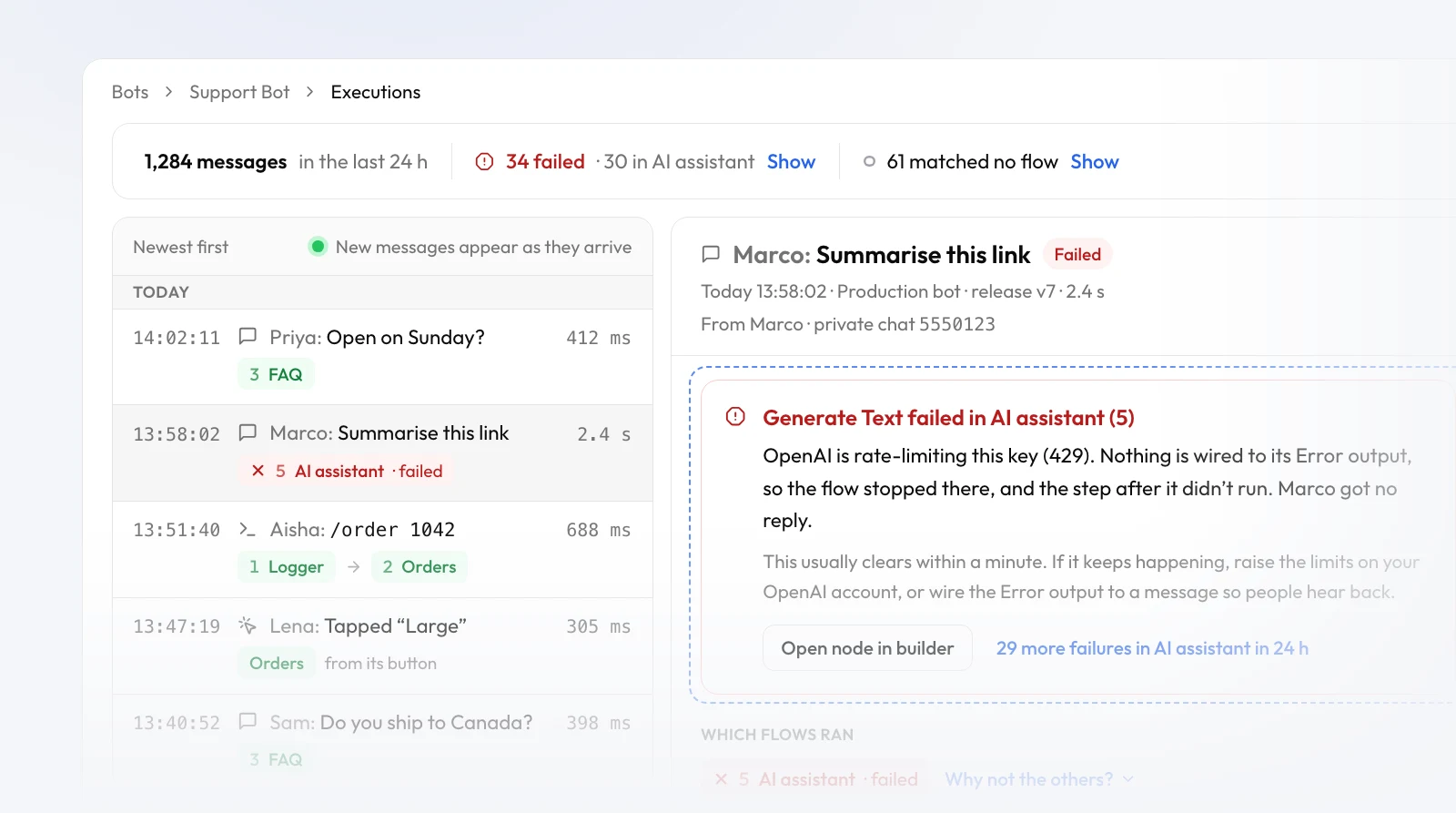
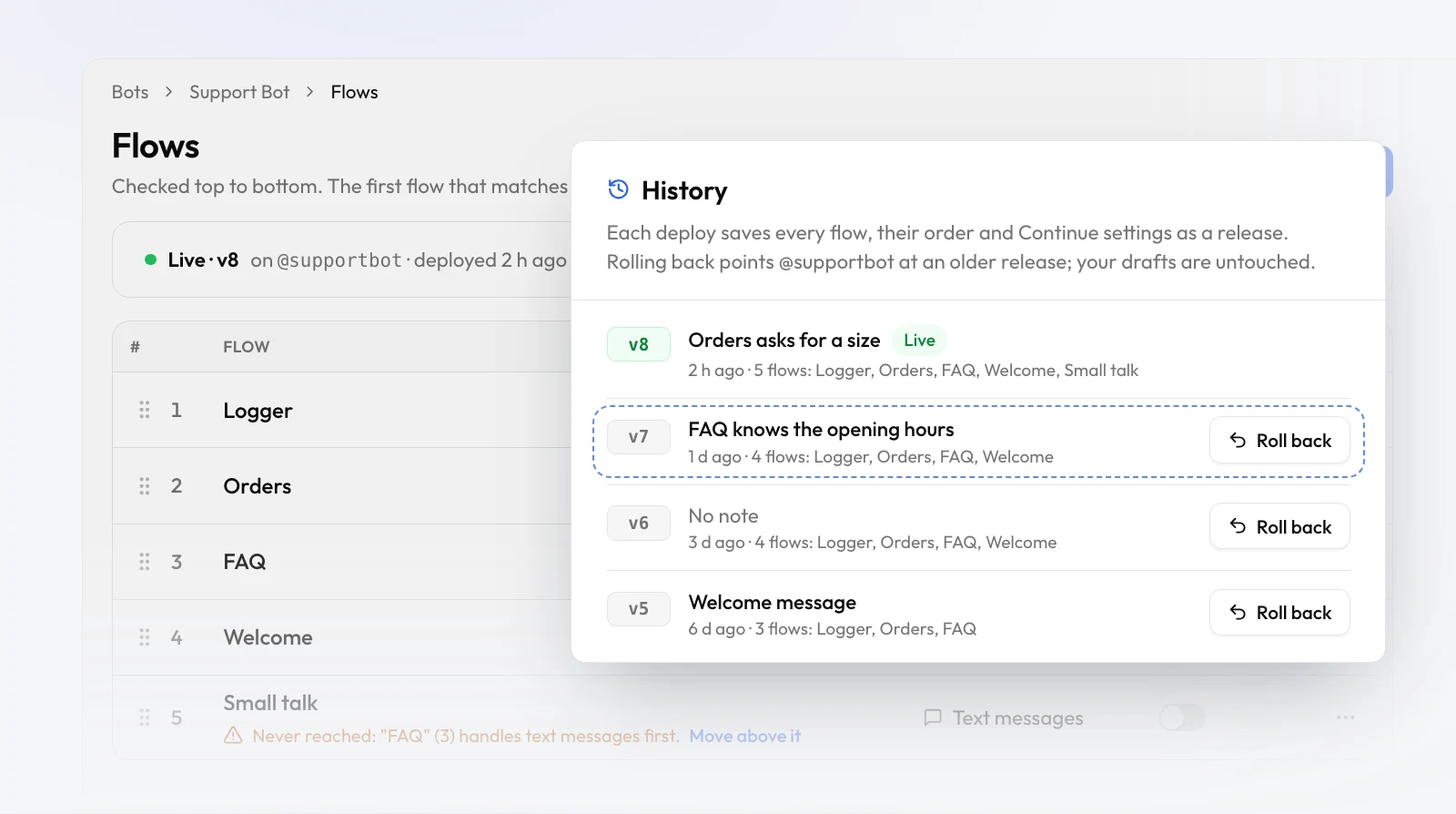
Most of 1.7 is in the builder. Steps all look the same now, it’s easier to use data from earlier steps, and the panels stay where you put them. We also reworked the pages you use to set up a bot, so going from a token to a live flow takes fewer clicks.
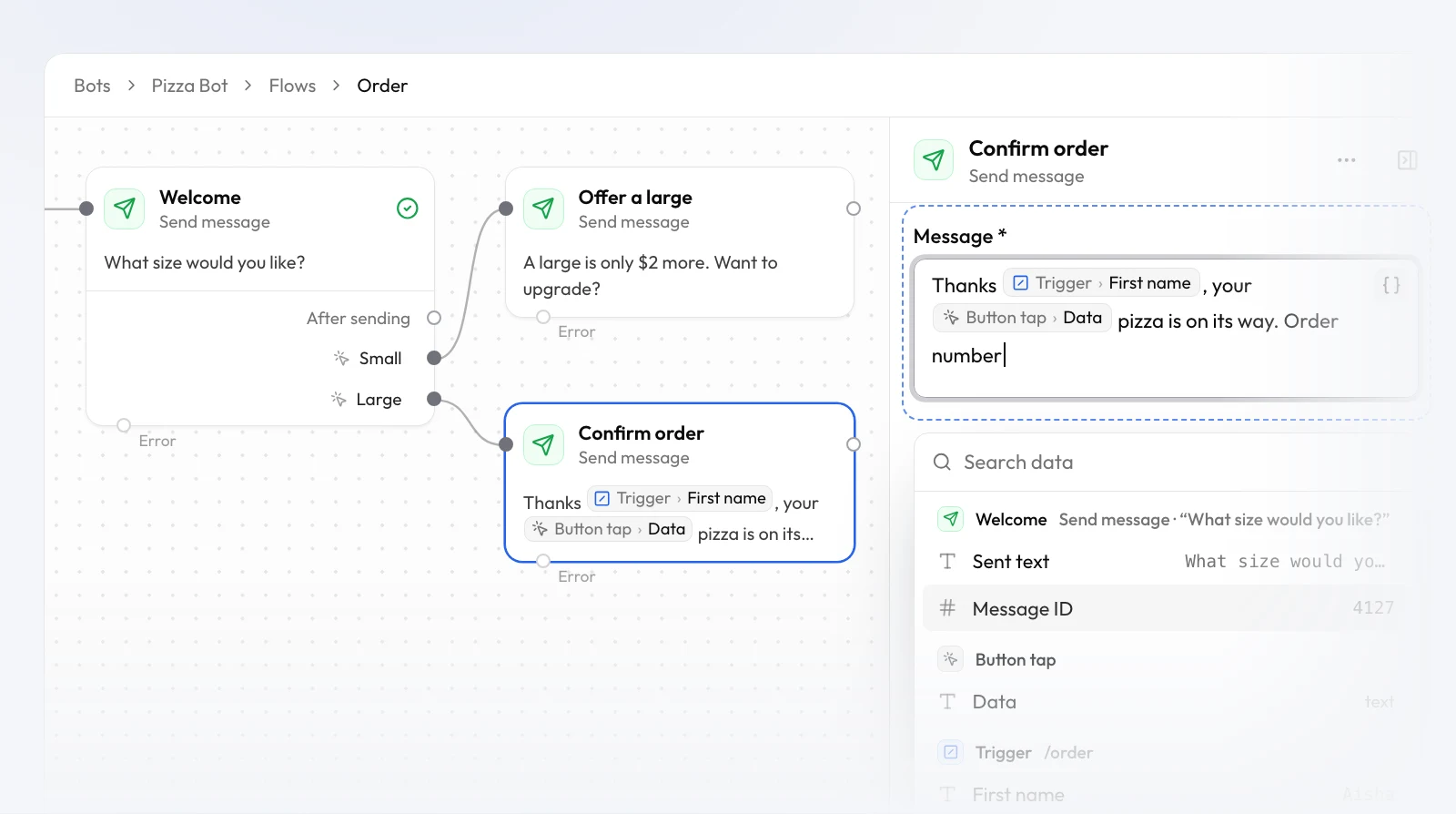
- One card for every step. Each step in the builder shows its icon, its name (click to rename), a short summary of what it does, and one labelled row for each way out, so labels no longer overlap. Problems show as one line on the card along with the fix, and errors leave from their own port at the bottom.
- Data from earlier steps, by name. Data from earlier steps shows as pills named after the
step, like Welcome › Sent text. Type
{{, click Insert data or drag a pill in to pick from a list grouped by step, with each value’s type and its value from the last run. Unrenamed steps are numbered, like Send message 1 and Send message 2. You get a warning if you give two steps the same name. - A builder that fits your screen. You can resize or collapse the nodes and settings panels, and the builder remembers how you left them. On phones they open as bottom sheets. Click a node in the palette to add it, use Add next on any free port, and press Tidy up (Shift+Alt+T) to lay the flow out left to right in one undo step. Nodes covers each step.
- Configuration on one page. Your test and production bots, your secrets and where each secret is used now share one page. A missing secret has a fix right there, and links from Flows, Bots and the builder’s Checks take you straight to the setting you need.
- Templates. Cards show what starts each flow, just like the Flows list. The preview reads top to bottom with branches nested inside, and adding a template only asks for API keys your bot doesn’t have yet. With no bots, Create a bot starts one with the template already picked.
- New bot and first run. The new bot dialog tells you the token becomes your test bot, shows token errors under the field, and lets you start from a template or a blank bot. The first-run wizard has a step rail, a clearer card once your token is verified, and makes clear that going live turns the token into your production bot.
Fixed: disconnecting your production bot now takes the bot offline, so no page can show it as Live when it can’t answer. In the first-run wizard, retrying a failed deploy no longer deploys twice, and picking another template replaces the flow instead of adding to it. Errors on the sign-in and sign-up forms are clearer, and a failed request now shows a readable message instead of “API error 400”.